Settings Menu
Customize Aurora to your hearts content.
A Guide on Settings#
The settings menu allows you to customize Aurora. Choose between a variety of options to improve your experience.
General Tab#
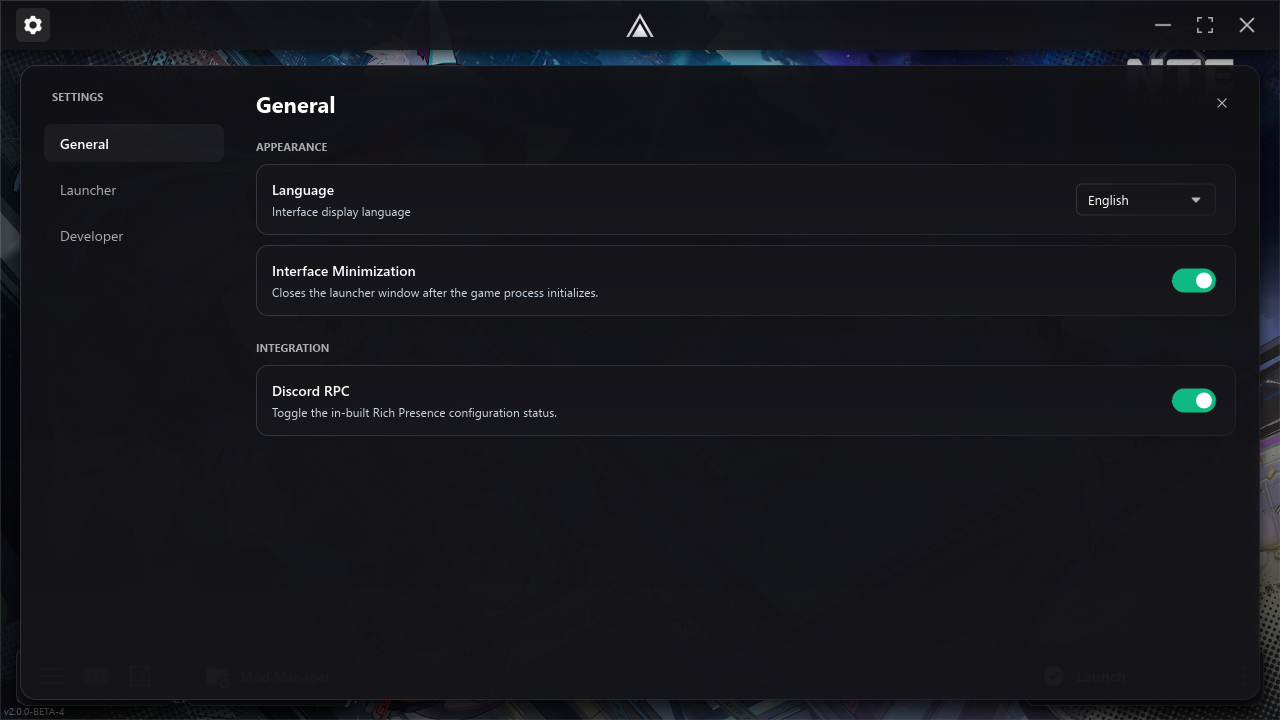
Interface Language#
Allows you to choose the language Aurora is displayed in. For the full list of supported languages: Check out the Translations list
Interface Minimization#
Choose if Aurora should be minimized to tray when launching the game. Allows for a much cleaner look.
Discord RPC#
Choose if your Discord Activity Status will display Aurora while using the launcher or not.
Launcher Tab#
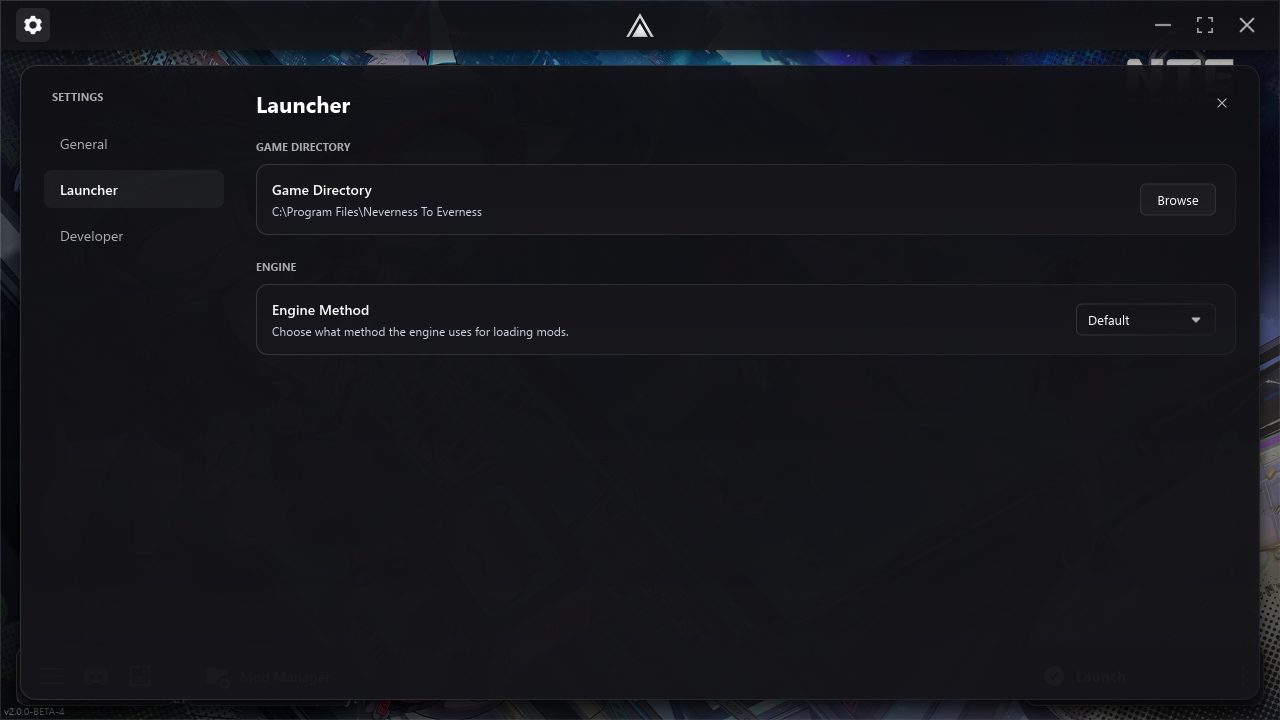
Game Directory#
Allows you to manually set your game installation path for Aurora to use.
Engine Method#
Choose the Engine method to use. This is usually the main fix for "mods not showing in-game" issues. Aurora will use a different DLL shim if this option is selected.
Current Options:
- Default: version.dll
- Alternate: dsound.dll (must install the Alternate DLLs package first)
Note: Aurora will always use the Alternate DLL for Chinese versions of the game as version.dll is detected by the ACE on CN versions since they have stricter guidelines there.
Developer Tab#
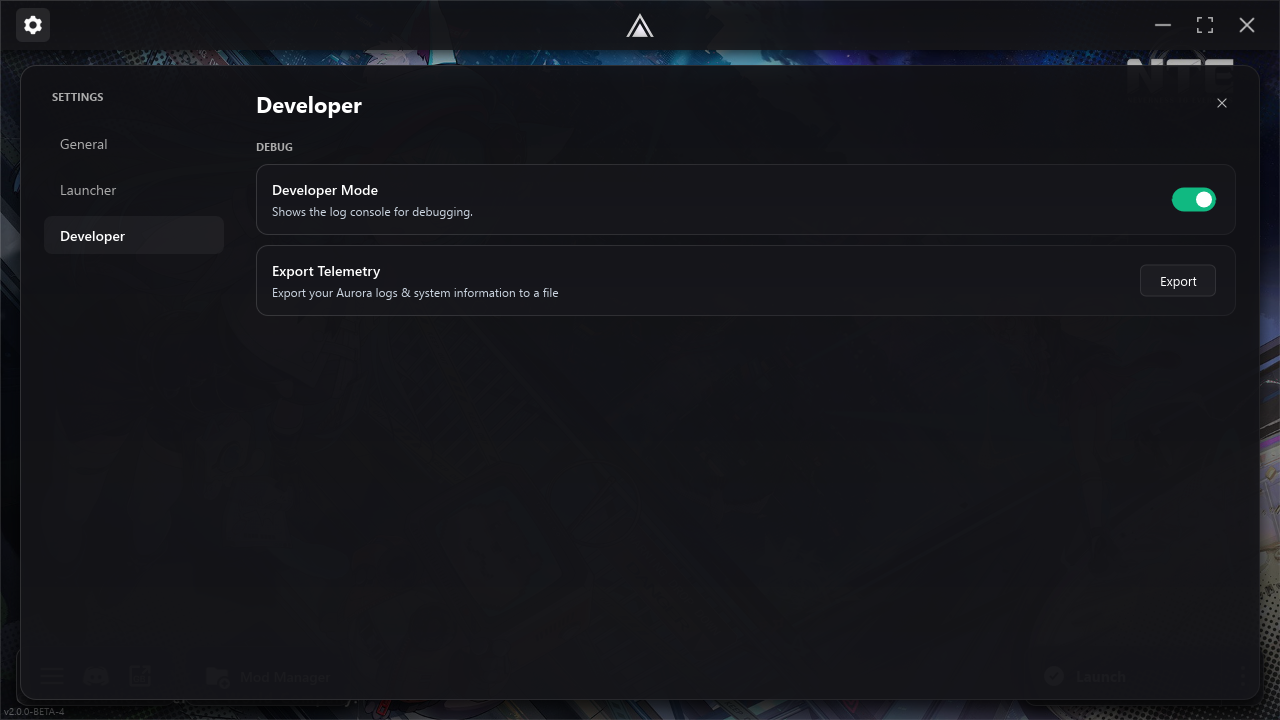
Developer Mode#
Opens a separate logging window showing what Aurora does in the background, useful for troubleshooting in real-time.
Export Telemetry#
Exports a telemetry log file to the "\Logs" directory of Aurora for you to share with our support team.
Warning: This telemetry log file contains A LOT of information, we recommend not sharing it online for this reason.
Linux Tab#
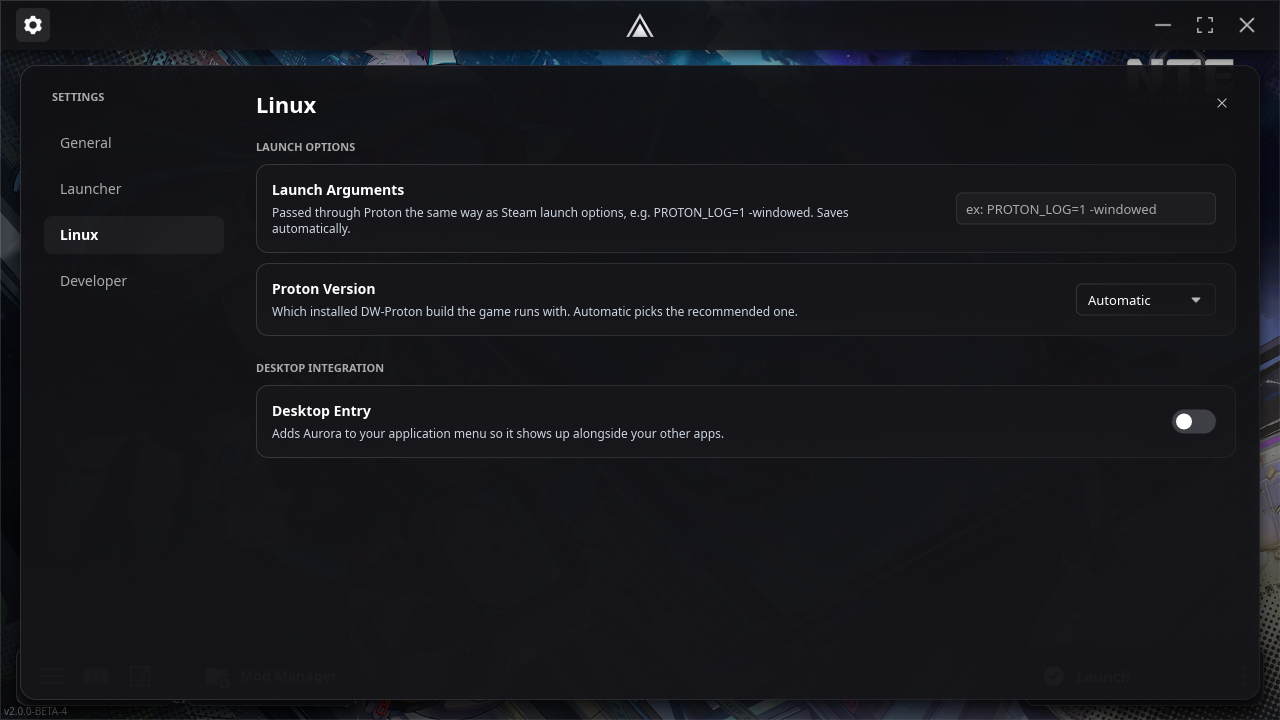
If you run Aurora with Linux, there will be an extra tab called "Linux".
Launch Arguments#
The arguments you pass to Proton, just like how Steam passes arguments.
Proton Version#
Choose what DW-Proton version the game will run with.
Desktop Entry#
Adds Aurora to your DE application menu so it shows alongside your other apps.
Keep in mind, we add a lot of features with each update so this page might be outdated. We try to keep it updated frequently.